


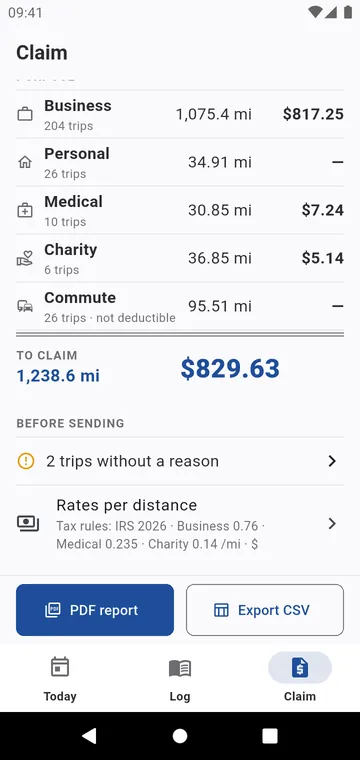
By purpose and by client
The Claim tab shows a month, a quarter or a year, for one vehicle or All vehicles: trips and distance by purpose, the deductible distance, and the amount at your rate. By client gives the distance and amount for each client or employer, to bill or to claim. Commuting has its own line.
Before sending
Before sending lists what is missing: trips to classify, trips without a destination or a reason, trips without odometer readings. When nothing is missing, it says so.
PDF and CSV
PDF report: the summary, then every trip with date, from, to, purpose, client, vehicle, odometer and distance, and the reason printed in full under each trip. Export CSV gives the same trips, with the rate and the amount of each, for your accountant or a spreadsheet.