


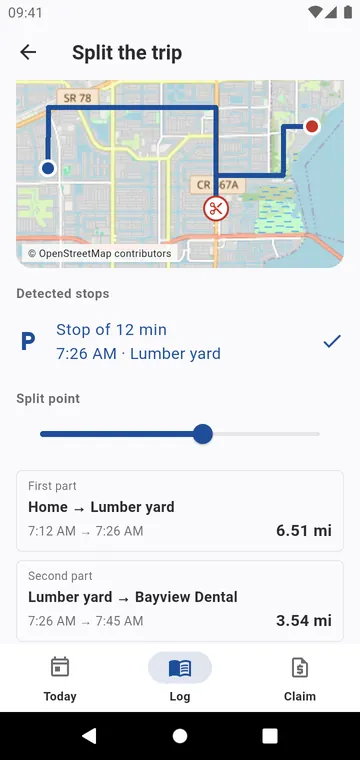
Split at a stop
Split… shows the route and its Detected stops of three minutes or more: tap one, or move the slider to the Split point. Each part gets its distance, and you choose the purpose of each. A trip entered by hand is split at a distance you type.
Merge two trips
Merge with the previous trip or Merge with the next trip joins two trips of the same vehicle that follow each other. The distances add up exactly; nothing is recomputed. A closed week refuses both, so a checked log stays as it was.