
A mileage log for your taxes, without a subscription
Press Start when you leave and Arrived when you get there. Mileage Log keeps the trips you tell it to, and turns them into the report your taxes need.

 Scan with your phone to install
Free on Android · No account · No subscription
How it works
- 1
Start, drive, arrive
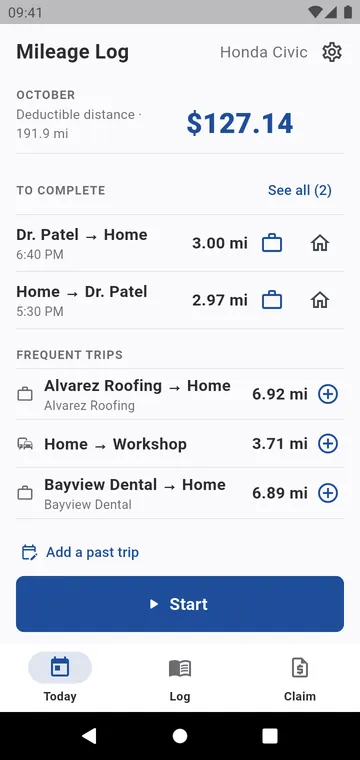
Press Start when you leave and Arrived when you get there.
- 2
Classify in one tap
Business, personal or later; the client and reason are suggested.
- 3
Claim it
Miles and amount by purpose and client, as a PDF or a CSV.
Mileage Log is an Android app that records business mileage. Most mileage trackers run all day in the background: they miss trips, invent others and drain the battery, then charge a subscription for it. This one has a Start button and an Arrived button. Forgot to press it? Add the trip by hand in a few seconds.
The distance follows the road you actually drove. On arrival, one tap says whether the trip was business or personal; the client and the reason are suggested from your last trip to that place. At the end of the month, the quarter or the year, the report gives the deductible distance and the amount at your rate, as a PDF with every trip.
- Record a trip — Start, Arrived, one tap to classify it. Mileage tracker
- Keep the log — swipe to classify, add a forgotten trip, close the week. Mileage log book
- Claim it — by purpose and client, as a PDF or a CSV. Mileage report
- Your country's rates — IRS, HMRC, CRA, ATO and more, dated and editable. Mileage rates
There is no account and no subscription, and nothing tracks you between trips. Your trips stay on your phone. Ads pay for the app, and one purchase removes them.
Everything for a mileage log
Mileage tracker
Start when you leave, Arrived when you get there. Nothing runs in between.
Mileage log book
Every trip in one list, grouped by day, classified with one gesture.
Mileage report
The deductible distance, the amount at your rate, and the list of trips behind them.
Mileage rates
Your own rate, or your country's rules as a dated starting point. Every figure stays yours.
Split and merge trips
One drive that was two trips, or two trips that were one, without losing a mile.
Vehicles and places
The vehicles you drive and the places you go back to.
Privacy
No account, no server of ours, and no location used between trips.
Why Mileage Log
- Free: every feature
- No account, no subscription
- No tracking between trips
- A PDF log with every trip
- 43 languages
- Android 8.0 and later
See it in the app
Today: the month's deductible miles and amount, trips to complete
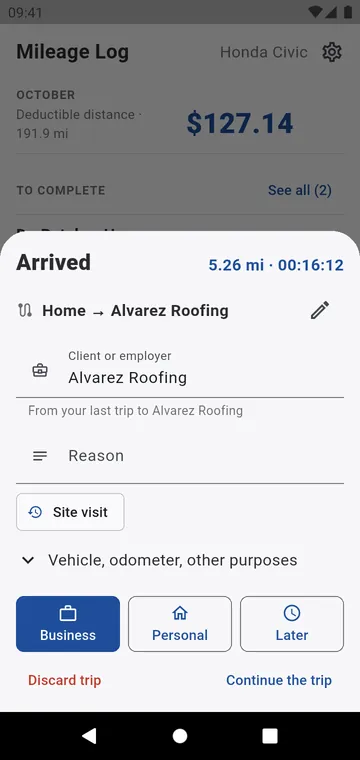
On arrival: Business, Personal or Later, client filled in
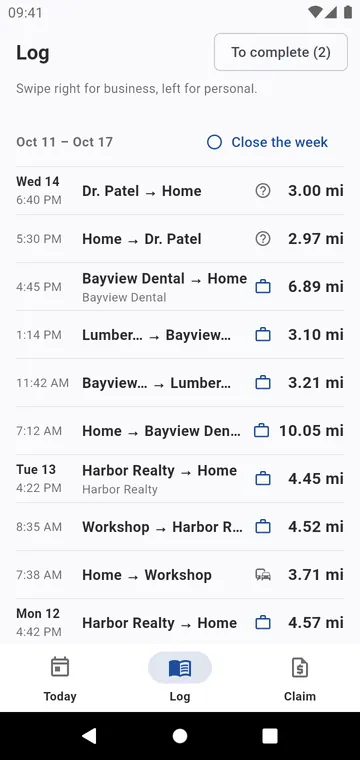
The log, week by week: swipe right for business, left for personal
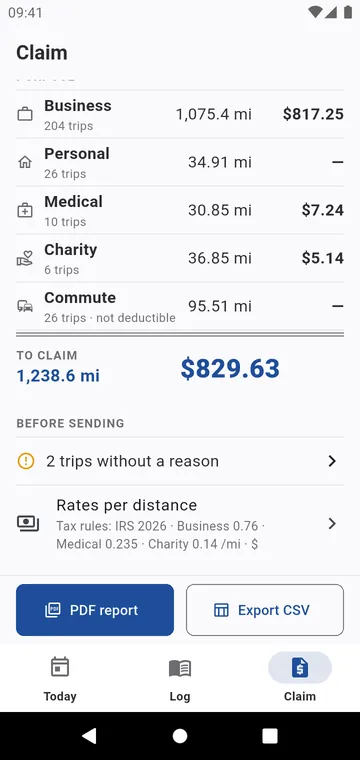
The claim: your country's tax rules, by purpose and client
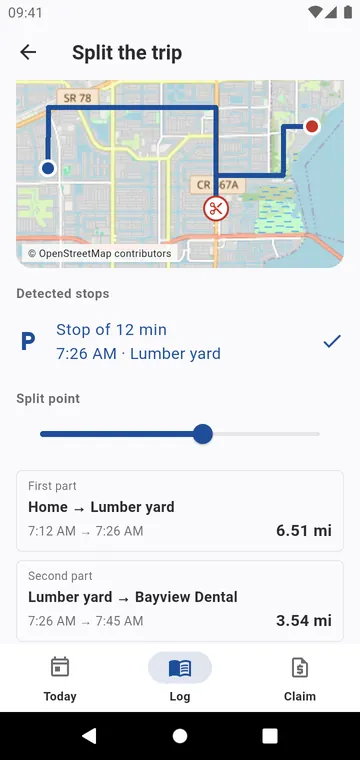
Split a trip at a stop found on its route
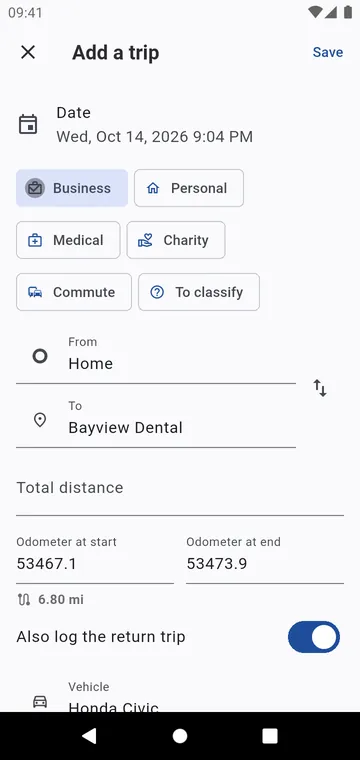
Add a past trip: the odometer picks up from your last trip
Guides
What to record
Tax authorities ask for the same few facts about each business trip. Here they are.
Track mileage for taxes
A paper log, an automatic tracker, or a button you press. Each has its price.
Mileage reimbursement
Business miles times the rate. The only trap is a rate that changes during the year.
Mileage rates by country
The presets Mileage Log offers, as checked in October 2026. Always confirm the current year with your tax authority.
Forgot to log a trip
It happens to everyone. A forgotten trip can still go in the log, with what you know.


Your next trip, logged
Press Start, press Arrived, claim at the end of the month. No subscription.